 Convoseal
Export a WhatsApp chat to PDF on iPhone
Updated:
WhatsApp can export a chat on iPhone, but the result is a plain text file, not a PDF. You can turn that file into a PDF for free with a small iOS trick, or build a cleaner PDF from your screen with Convoseal. Here are both, with their limits.
The free method: export the chat, then print it to PDF
- Export the chatOpen the conversation, tap the contact or group name at the top, scroll down and choose Export Chat. Pick Without Media or Attach Media, then send the file to Files, Mail or another destination.
- Open the text fileAttached media come in a .zip archive with the text file inside. Open the text in Files, Pages or Notes.
- Print, then pinchTap Share, then Print. In the print preview, spread two fingers over the page to zoom in: iOS turns it into a PDF that you can save or share. The exact interface depends on your iOS version.
Where this method falls short
It works, and it costs nothing. But keep in mind:
- WhatsApp caps the number of messages it exports (roughly tens of thousands without media, fewer with media), so a very long chat can come out incomplete.
- The result is plain text. There are no chat bubbles, no images in place, and the layout is basic.
- Anyone can edit a text file. Nothing shows whether it changed after it was exported.
The Convoseal method: a numbered PDF from your screen
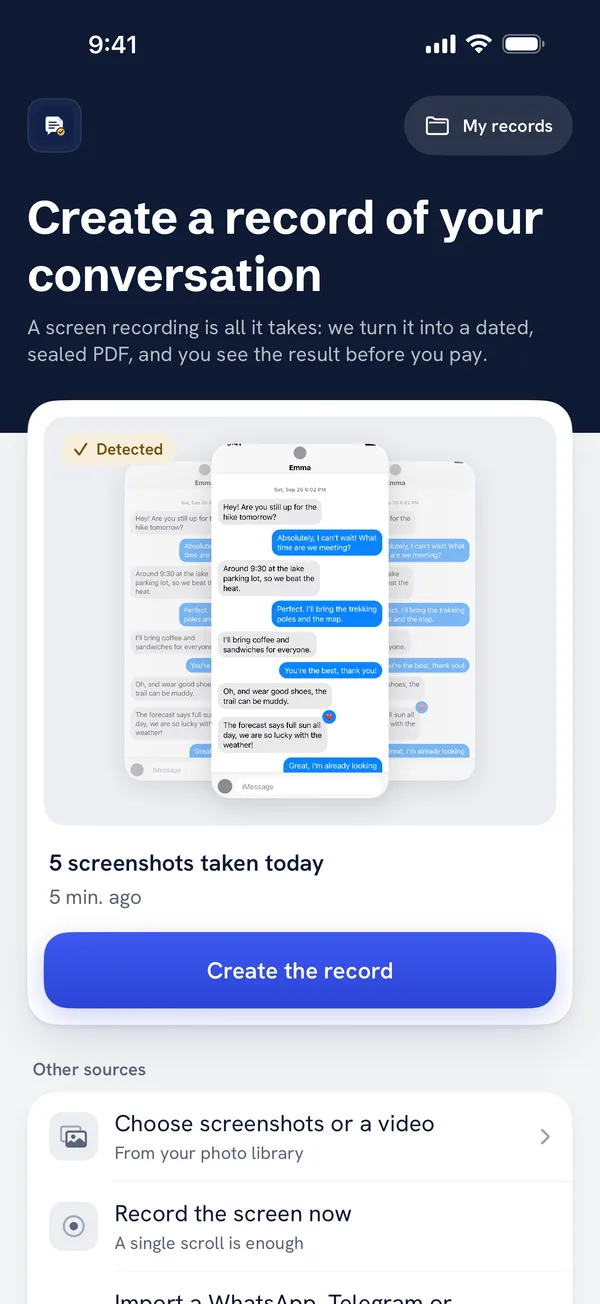
Convoseal does not read WhatsApp's data. It reads what is on your screen, like you do, then lays the messages out in a document. If you already have the exported file, Convoseal also accepts it directly through the share sheet.
- Choose WhatsAppOpen Convoseal and pick the messaging app.
- Record while scrollingStart a screen recording and scroll through the chat slowly, in small gestures. You can also add screenshots that overlap by one or two messages.
- Let it analyseText recognition runs on your iPhone, using Apple's own technology. Keep the app open until it finishes.
- Say who is whoTell Convoseal which side is you, and review the few messages it is unsure about. Text recognition can make mistakes, so this check matters.
- Preview, then exportSee page 1 for free. The PDF has numbered, dated messages, an appendix of your original images, and a summary page with the SHA-256 fingerprint of each file. CSV, TXT and HTML are available too.
Your original screenshots and videos are never deleted without your confirmation. The fingerprint shows that a file has not changed since it was created; it does not show that the original conversation is authentic.
The page 1 preview is free. See how Convoseal works. For text messages, read our guide to exporting iPhone texts to PDF.
FAQ
Does WhatsApp export to PDF directly?
No. On iPhone it produces a text file, with media in a .zip archive if you include them. A PDF needs an extra step.
Can I export a group chat?
Yes, with the same Export Chat option in the group info. With Convoseal, you tell the app which participant is you and the others keep their names.
Does anything leave my iPhone?
No. Recognition and PDF creation happen on the device. There is no account and nothing is uploaded.
Try it on your own conversation
Preview page 1 of your PDF for free. Everything is processed on your iPhone or iPad: no account, nothing uploaded.
Other guides
WhatsApp, Telegram, Signal, Messenger, Instagram, iMessage and Apple are trademarks of their respective owners; Convoseal is not affiliated with them. Convoseal does not give legal advice.