 Convoseal
How to export a Signal, Messenger or Instagram conversation
Updated:
On iPhone, none of these three apps lets you export a single conversation. Meta offers a download of your whole account for Messenger and Instagram, while Signal, to our knowledge, offers nothing comparable. The simplest common method is a screen recording.
What exists for free
- SignalWe know of no way to export a conversation to text or PDF from the iPhone app. Screenshots and screen recording are what remain.
- Messenger and Instagram: download your informationMeta lets you request a copy of your data through its Accounts Center, in HTML or JSON. The path changes often, so look for the section about your information and activity in the app's settings.
- Wait for the archiveMeta prepares it and tells you when it is ready. It can take a while and be large.
Why that is not always practical
Meta's archive covers your whole account, not one chat, and you must dig through folders to find the right thread. Preparation can be slow, and the menus move around. The files are also editable, so they show nothing about integrity. If you only need one conversation, or you want it today, this is heavy.
The screen recording route with Convoseal
- Pick the appOpen Convoseal and choose Signal, Messenger or Instagram.
- RecordOpen Control Center, press and hold the record button, select Convoseal as the destination and start. Scroll up through the conversation in small, steady gestures, then stop.
- AnalysisApple's text recognition reads the frames on your iPhone. Do not leave the app until it is done.
- ReviewChoose which side is you and check the uncertain messages one by one. This step exists because reading text from an image is never perfect.
- ExportPreview page 1 free of charge, then get a PDF with numbered, dated messages, an appendix with your original images, and a summary page with a SHA-256 fingerprint for each file. CSV, TXT and HTML are included.
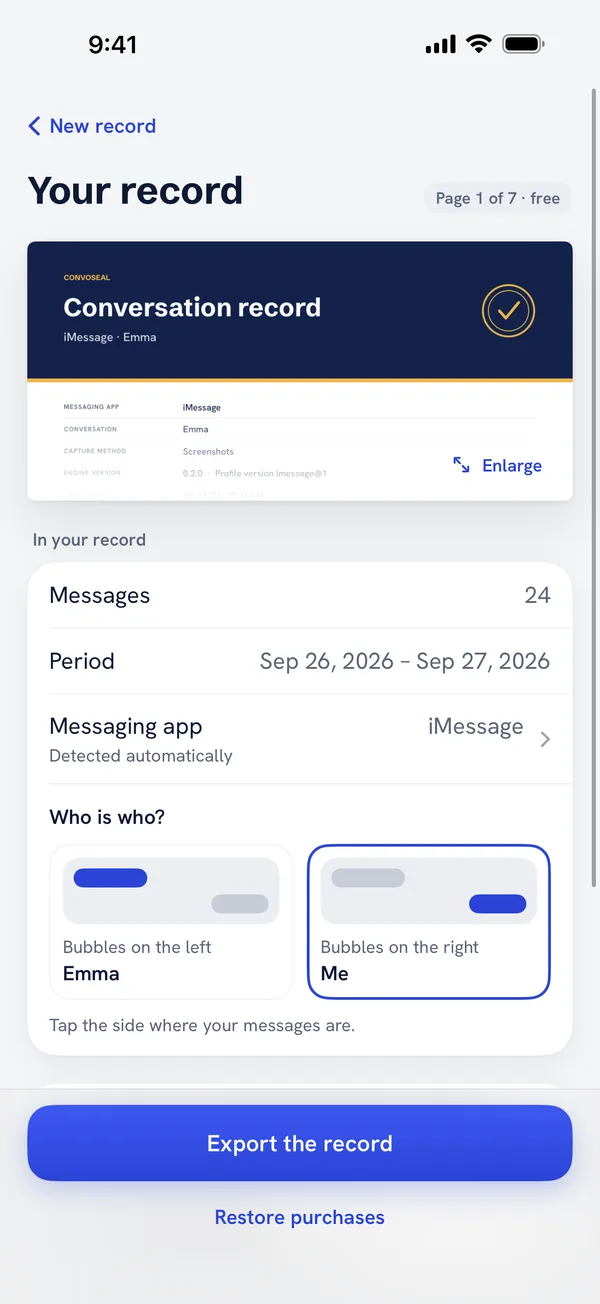
Convoseal reads only what is displayed. Disappearing messages that have already gone will not be in the video, and the app does not retrieve anything from Signal, Meta or Apple. Fingerprints show that a file has not changed since it was made; they say nothing about whether the original chat is genuine. Originals stay in place unless you confirm their removal.
The page 1 preview is free. See the home page. For Telegram, there is a dedicated guide.
FAQ
Can Signal export a chat to PDF?
Not that we know of on iPhone. A screen recording is the practical option.
Do I have to request my Meta data?
No. It is an option for a full account copy, but a recording of one conversation is faster and needs no waiting.
Does recording alert the other person?
Recording your own screen does not notify anyone in the apps we know. Features can change, so check each app's current behaviour.
Try it on your own conversation
Preview page 1 of your PDF for free. Everything is processed on your iPhone or iPad: no account, nothing uploaded.
Other guides
WhatsApp, Telegram, Signal, Messenger, Instagram, iMessage and Apple are trademarks of their respective owners; Convoseal is not affiliated with them. Convoseal does not give legal advice.