 Convoseal
iPhone and iPad · iOS 17+
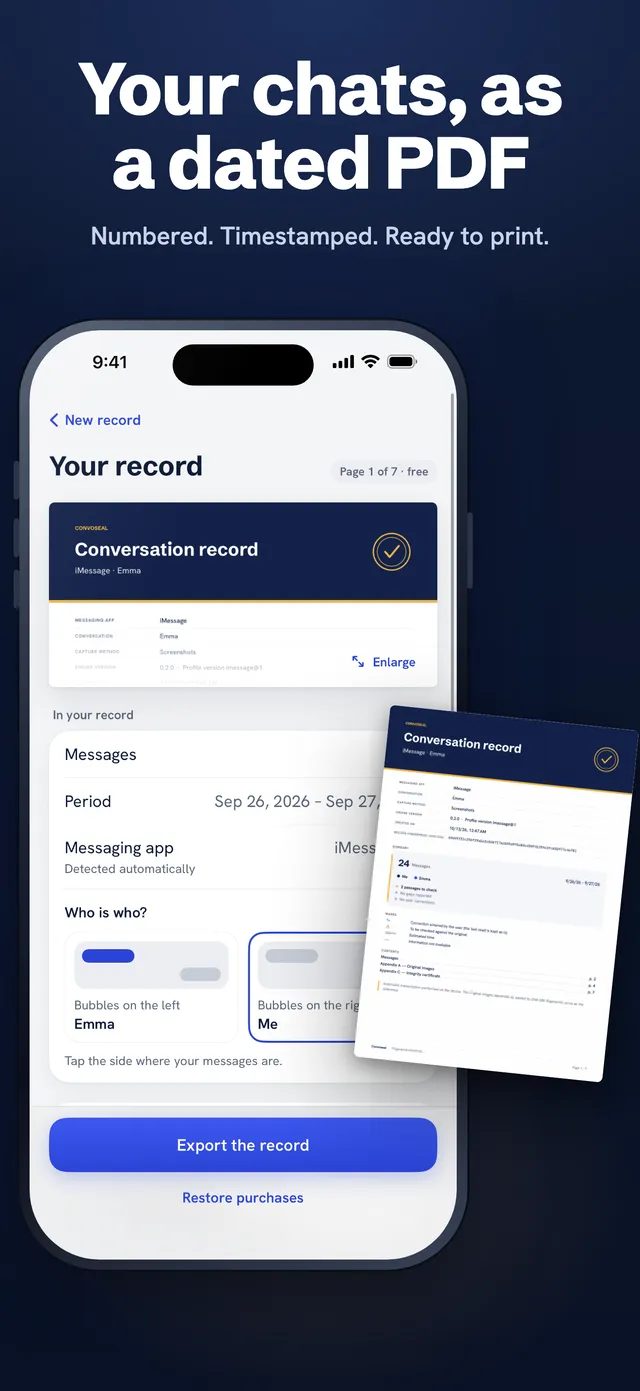
Your chats, as a dated PDF
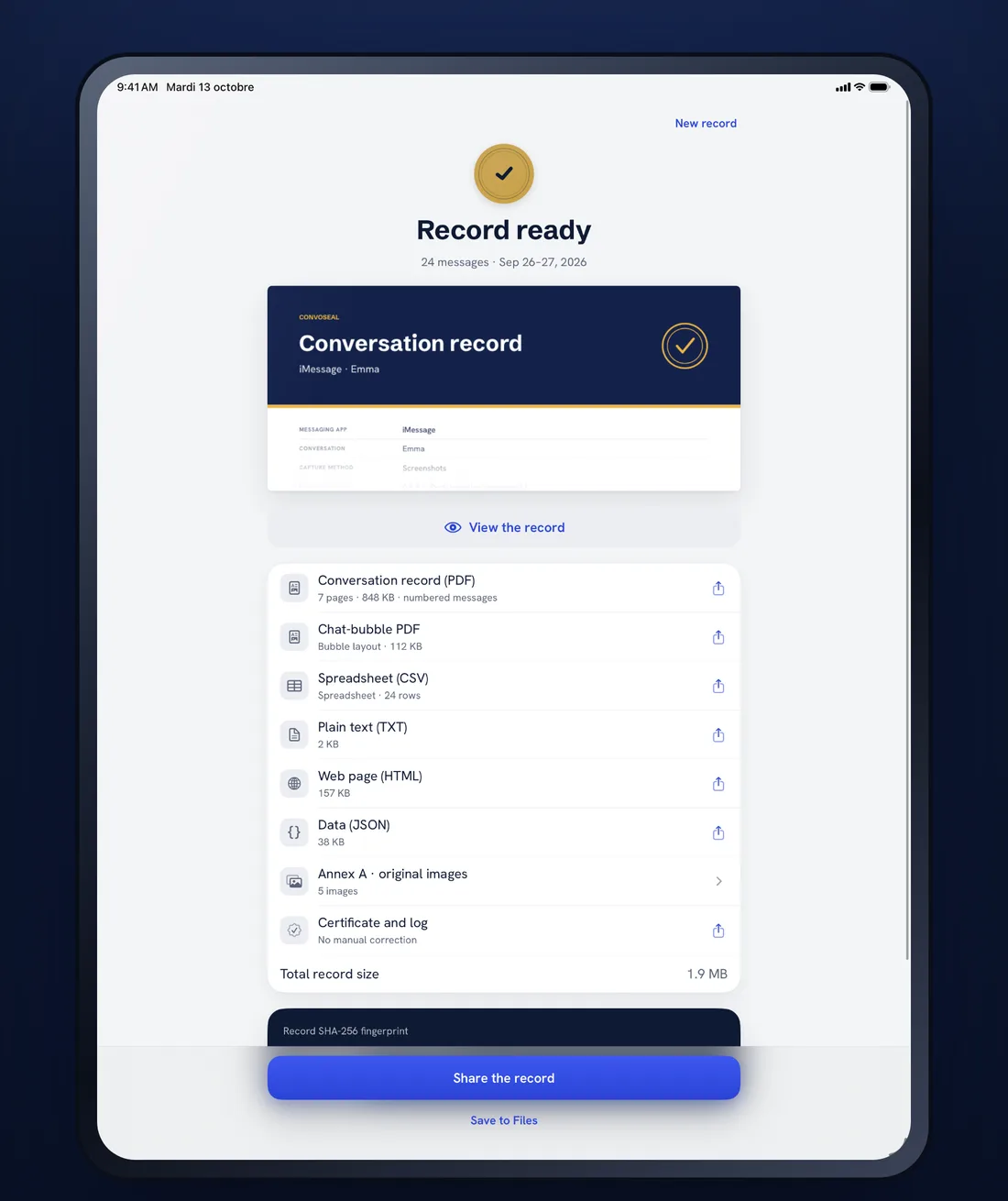
Record your screen while scrolling, or add screenshots. Convoseal reads the messages on your iPhone or iPad and builds a numbered, timestamped record, sealed with a SHA-256 fingerprint.

Free page-1 preview. You only pay to export.
Works with the apps you already use
Pick the messaging app and Convoseal guides you step by step.
- iMessage, SMS and RCS
- Telegram
- Signal
- Messenger
- LINE
- Viber
Names are used for compatibility only. Convoseal is not affiliated with these services.
Built so that nothing is lost, nothing is changed
A faithful record of what was on your screen, with the evidence of its own integrity.
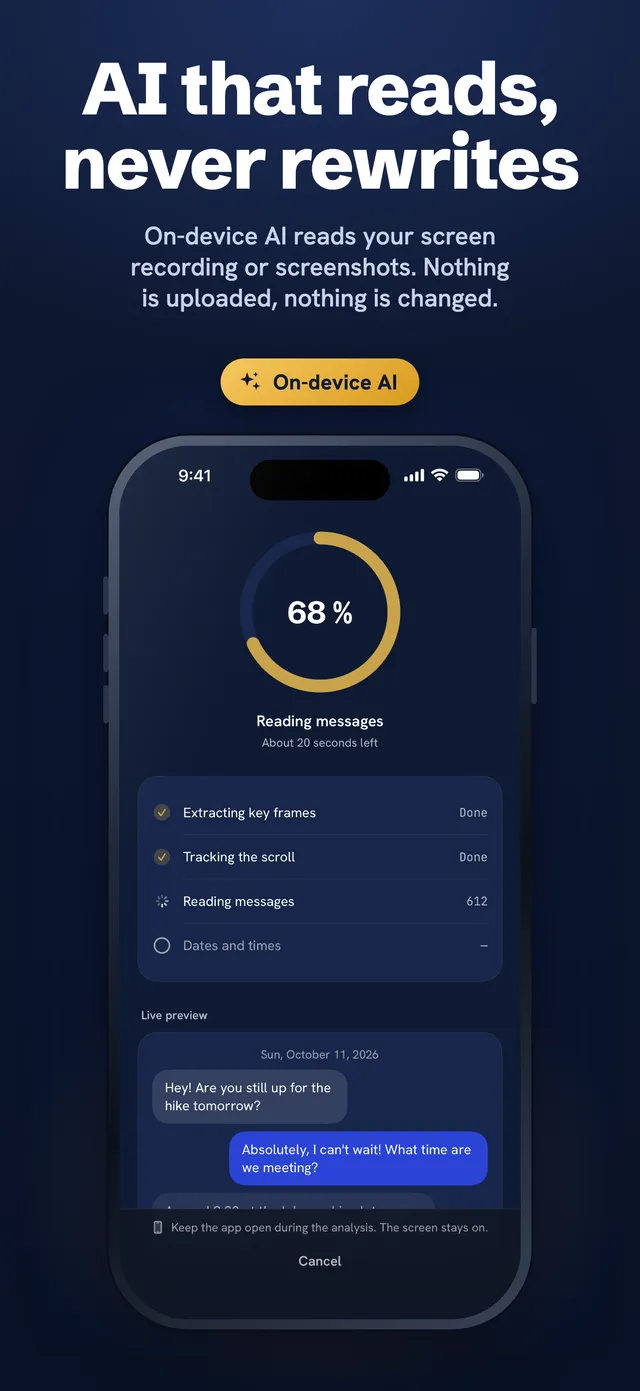
AI that reads your messages
On-device AI (Apple Vision) reads a screen recording or screenshots. Nothing is uploaded.
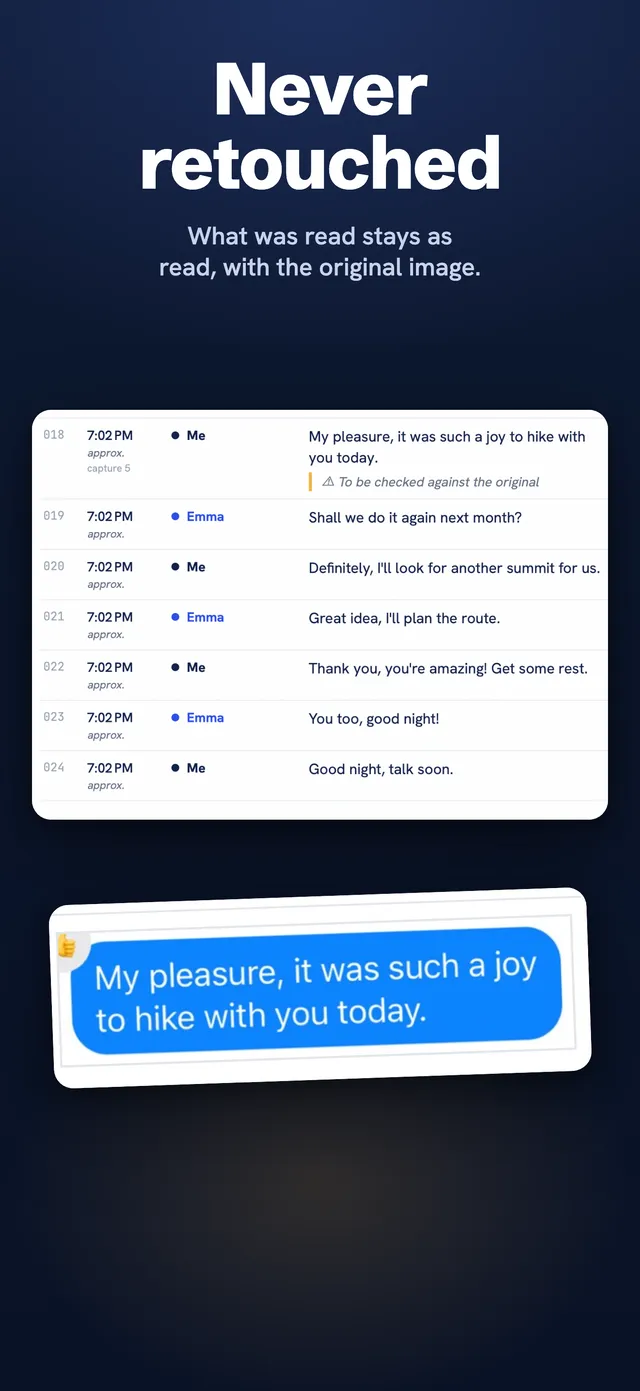
Never retouched
What was read stays as read, next to the original image. Corrections are added as annotations.
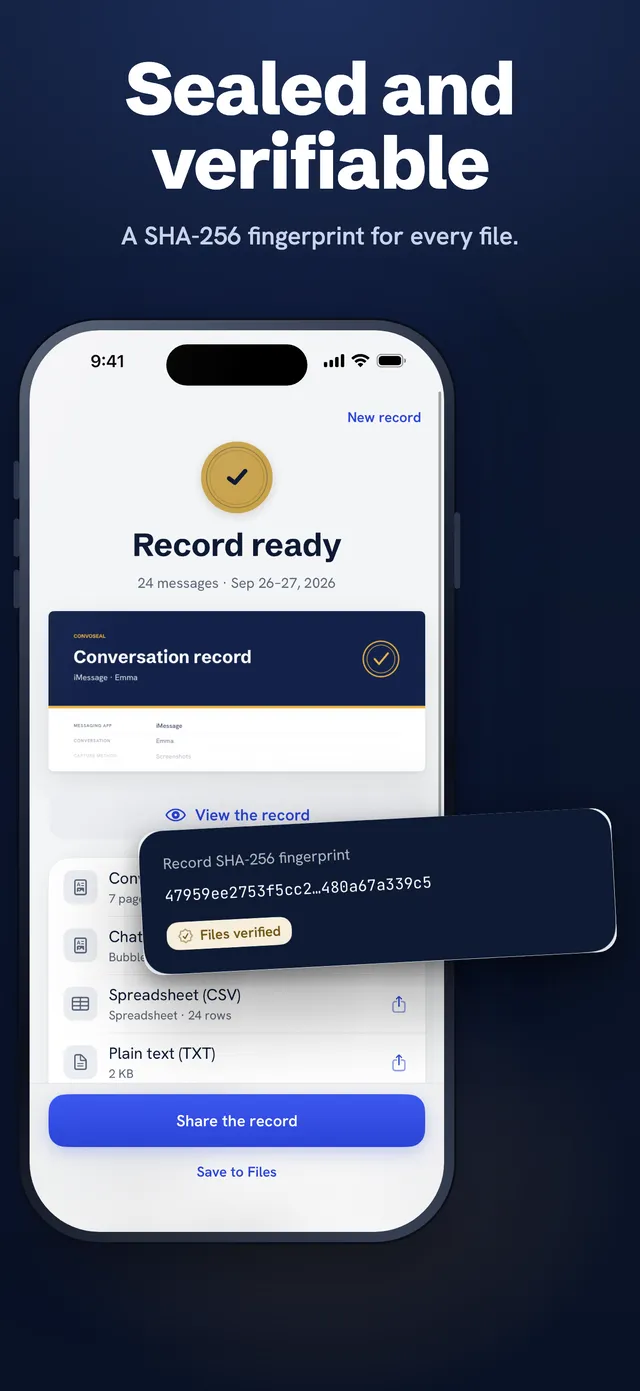
Sealed and verifiable
A SHA-256 fingerprint for every file, listed in a certificate.
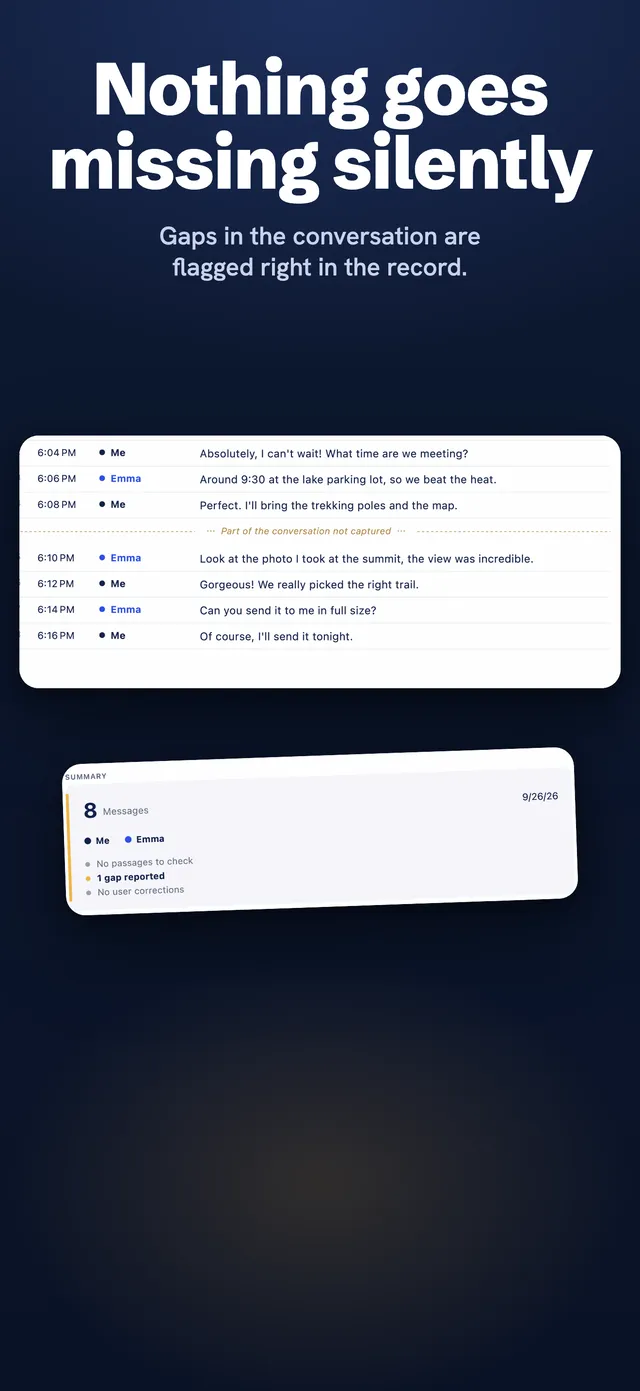
Nothing goes missing silently
Gaps in the conversation are flagged right in the record.
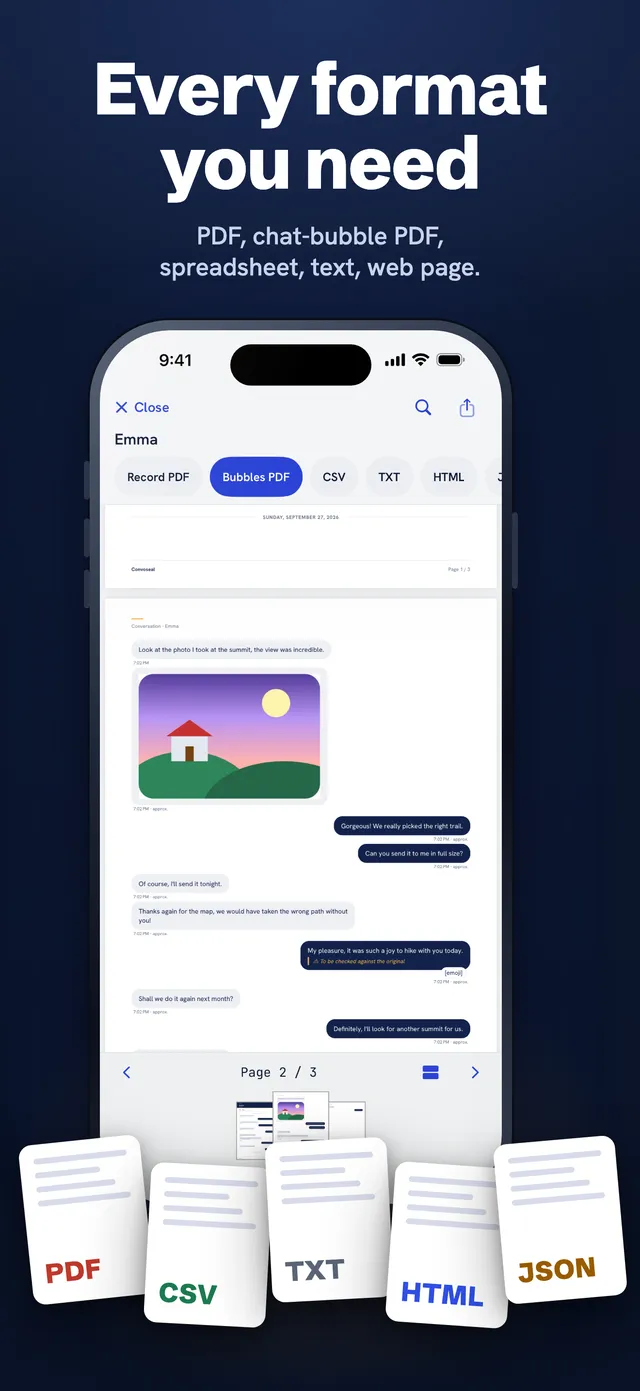
Every format you need
PDF, chat-bubble PDF, CSV, TXT, HTML and JSON.
Exact export
WhatsApp, Telegram and LINE export files are imported as they are: original text and times.
How it works
Four steps, all on your device.
Capture the conversation
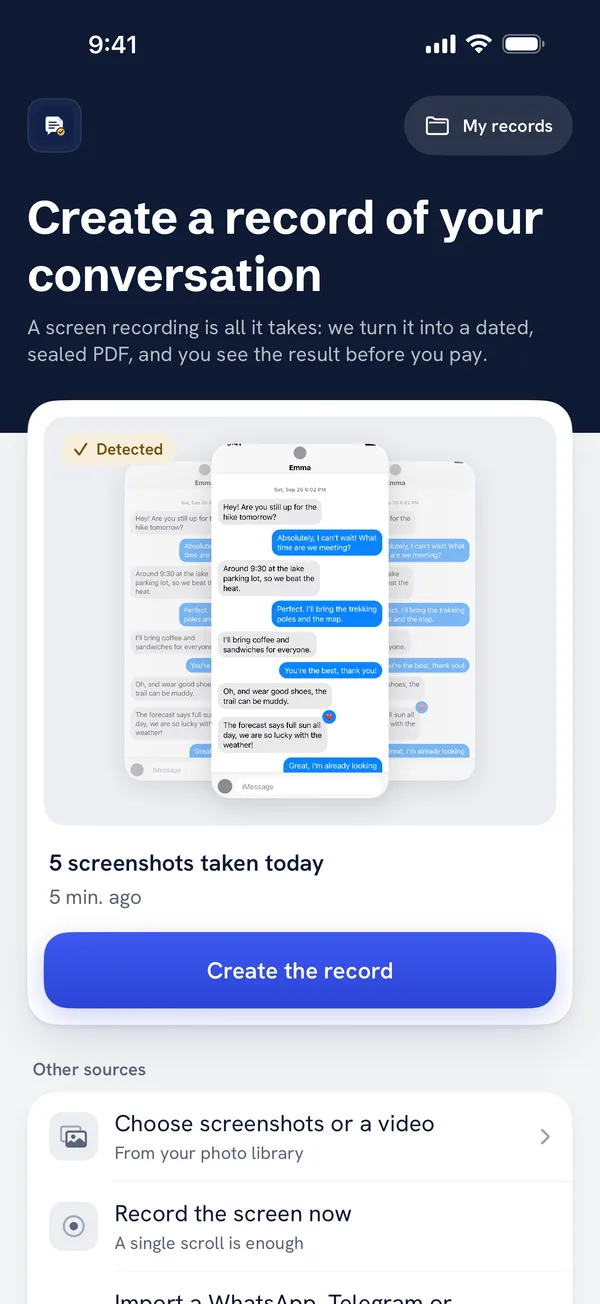
Record your screen while you scroll slowly through the chat (most reliable), or take a series of screenshots. For WhatsApp, Telegram and LINE, you can instead share the exact export file.
Analysis on your device
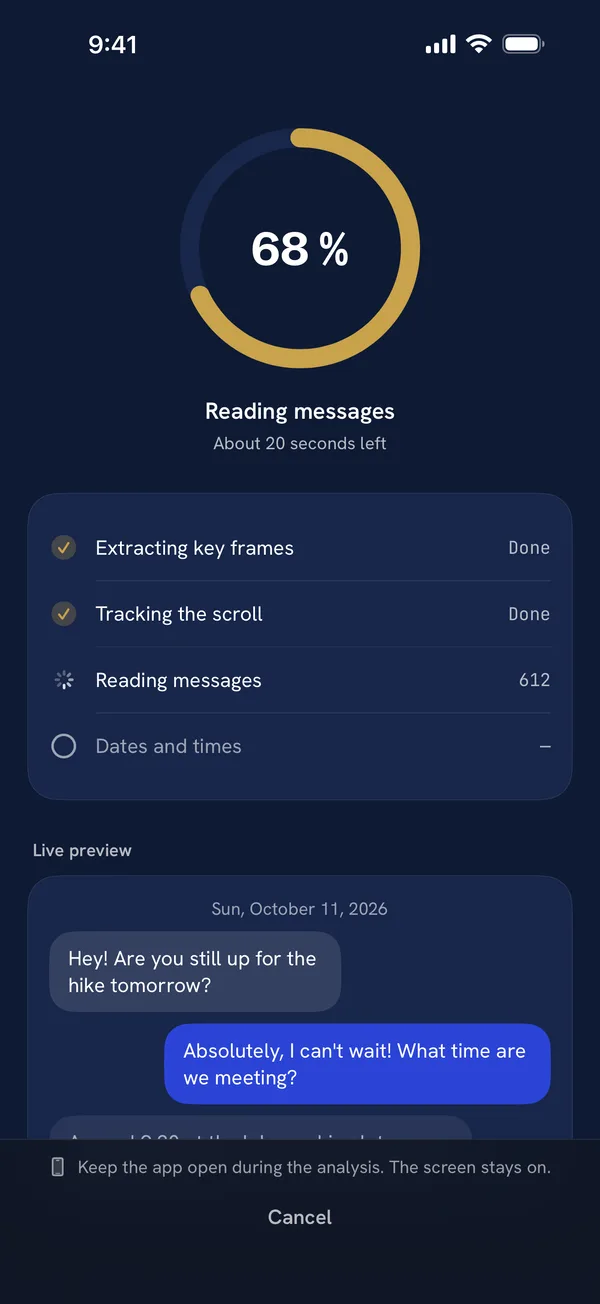
Convoseal reads each message with Apple’s text recognition, follows the scroll to avoid duplicates, and flags any gap. Keep the app open while it works.
Review
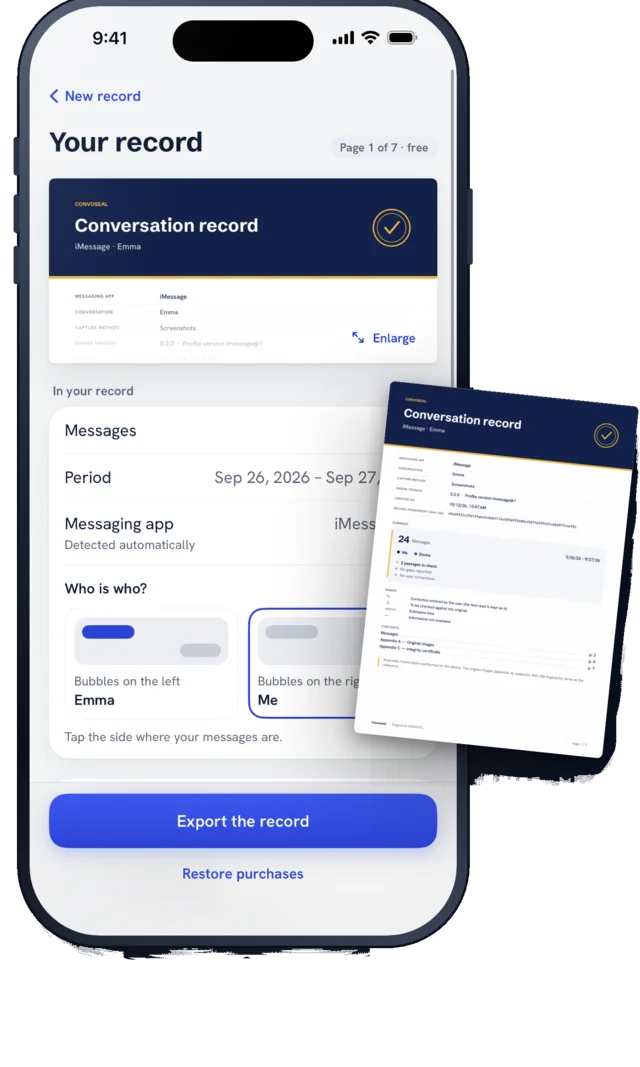
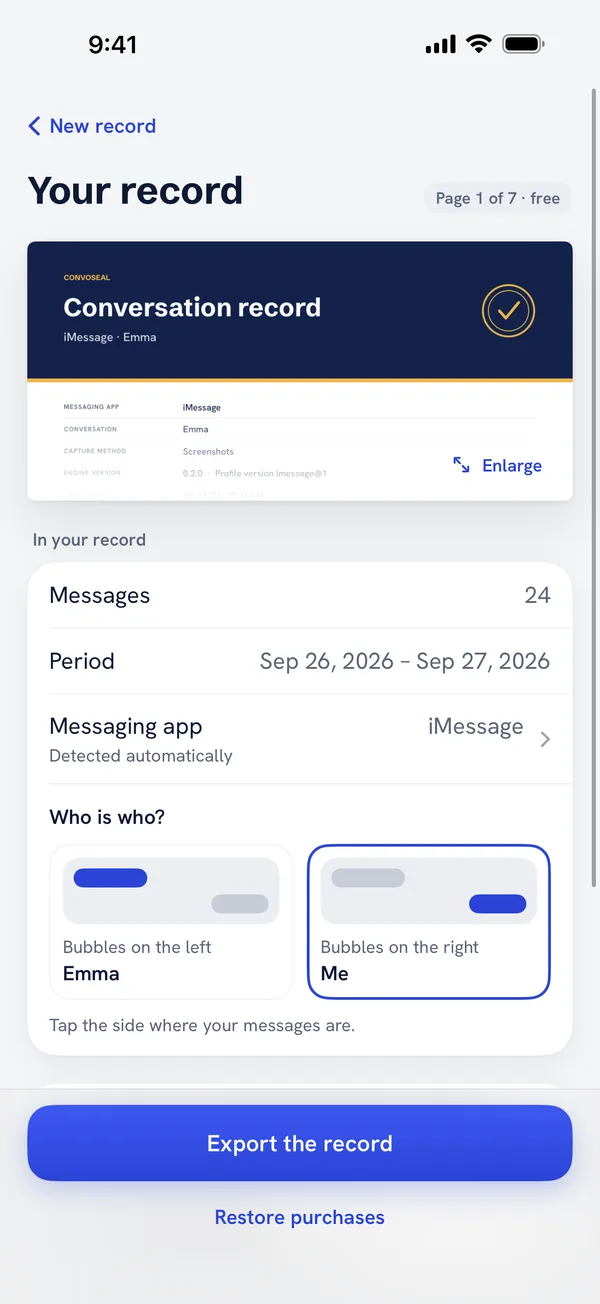
Tell the app which side is you, and check the few uncertain messages against the original excerpt. Every correction is logged.
A complete record
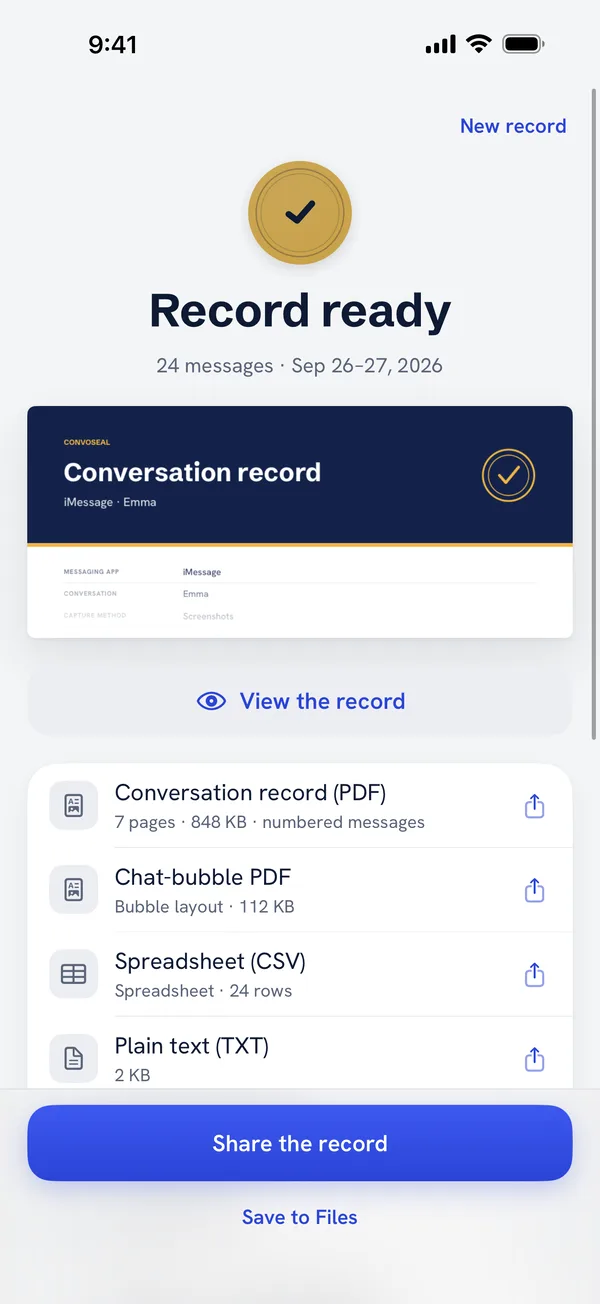
A PDF with numbered messages, dates and annexes of the original images, plus a certificate with the SHA-256 fingerprint of each file. Also available as CSV, TXT and HTML.
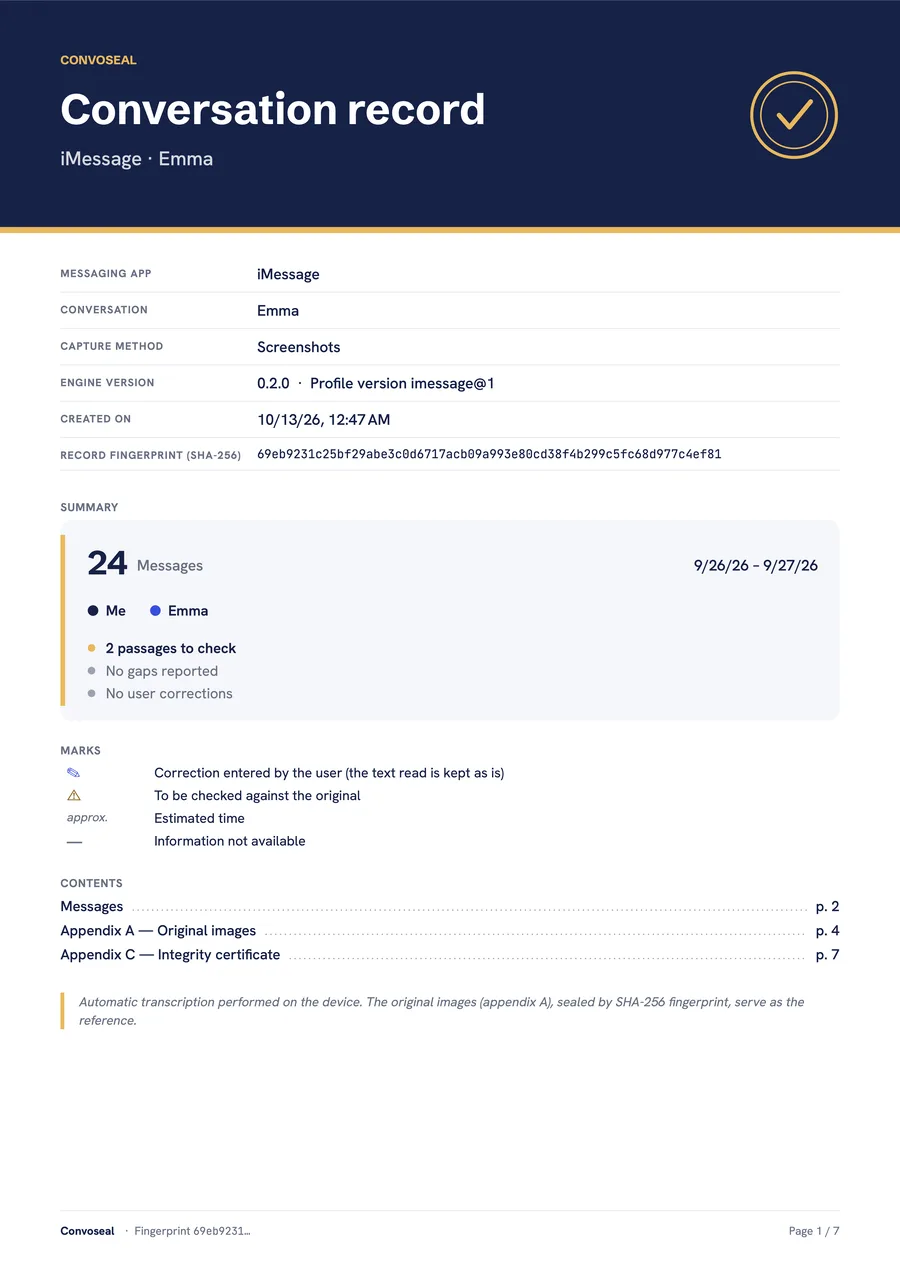
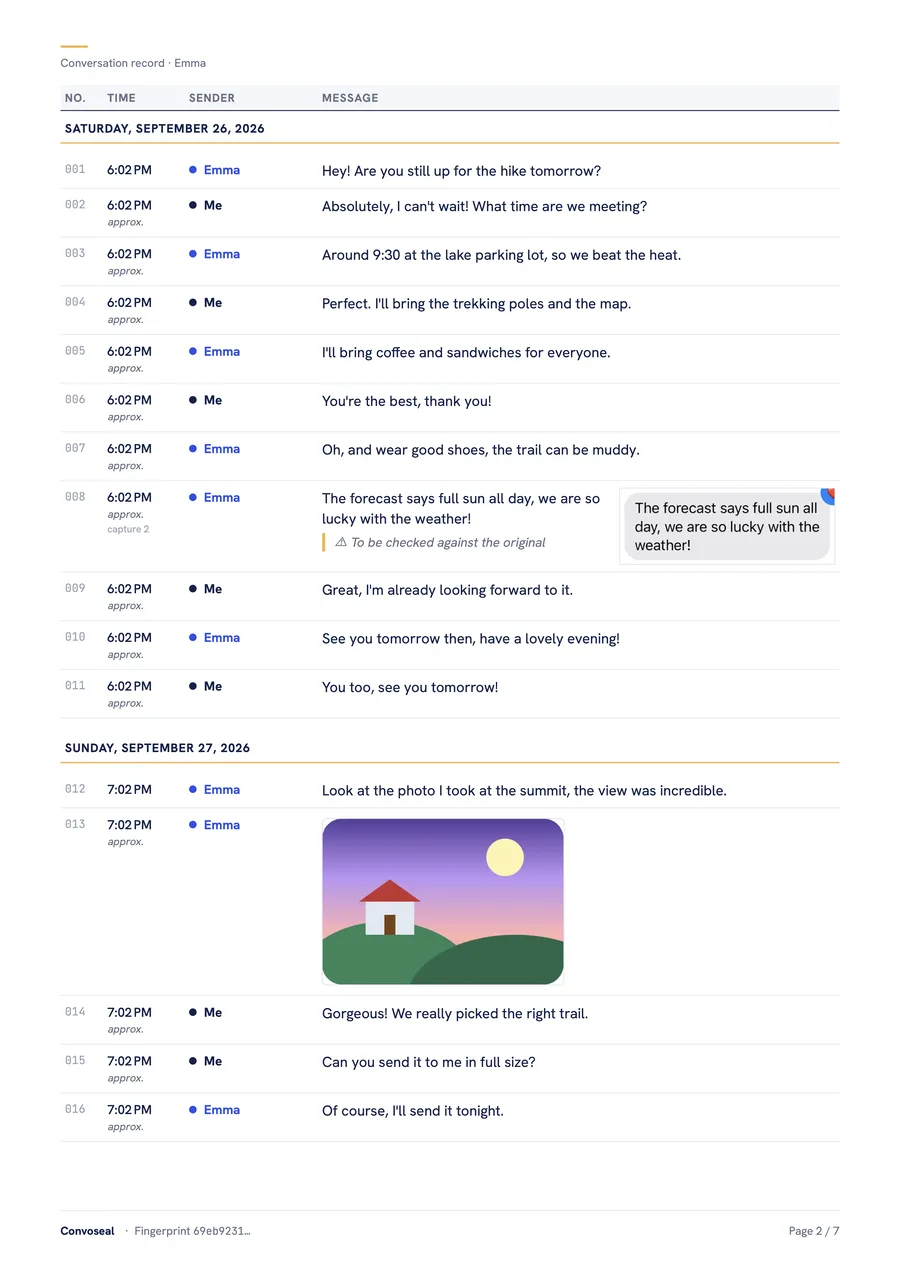
A look inside a real record
A cover page with the details of the record, then numbered, dated messages. Fictional sample.
- Numbered, timestamped messages
- Annexes with the original images
- A certificate with the SHA-256 fingerprint of each file
Screens from the app
Your conversations never leave your device
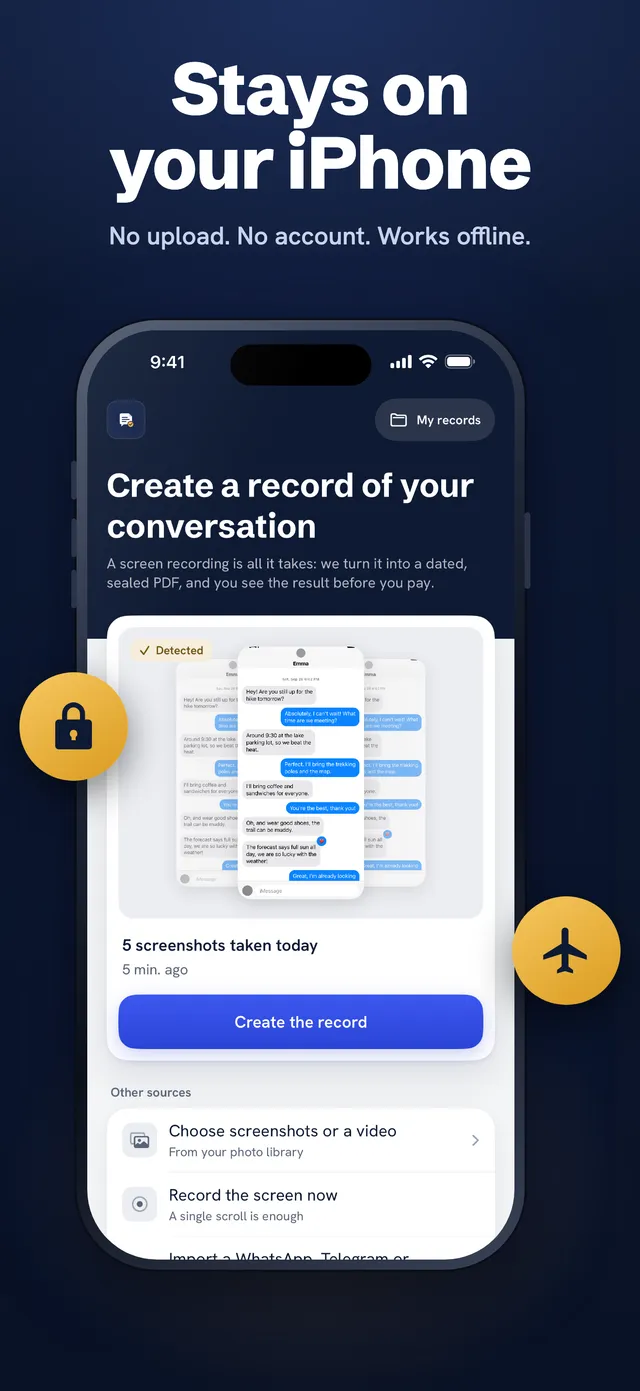
Messages are sensitive. Convoseal was designed so that we never see them.
Processed on the device
Reading, layout and PDF creation all run on your iPhone or iPad, offline.
No account, no ads
Nothing to sign up for. No advertising, no analytics, no tracking.
You stay in control
Records are stored on your device. Deleting originals from Photos is optional and always asks for your confirmation.
Guides: export your conversations step by step
Free methods first, then how Convoseal does it. Honest about what each one can and cannot do.
Export a WhatsApp chat to PDF on iPhone
WhatsApp exports a text file, not a PDF. Here is the free trick, what it cannot do, and how to get a dated, numbered PDF.
How to export text messages from iPhone to PDF
No print or export for SMS and iMessage on iPhone. Free workarounds, honest limits, and a numbered PDF made on-device.
How to save an iMessage conversation on iPhone
Saving an iMessage thread is not the same as backing it up. Your options on iPhone, and how to make a PDF you can keep.
How to export a Telegram chat from iPhone
The Telegram iPhone app has no chat export. Telegram Desktop does. Here are both routes, plus the screen recording option.
How to export a Signal, Messenger or Instagram conversation
Signal, Messenger and Instagram have no chat export on iPhone. Meta's data download, its limits, and the screen recording alternative.
How to screenshot a long conversation on iPhone (screen recording alternative)
iOS full-page screenshots rarely work in messaging apps. How to capture a long chat, and why a screen recording is easier to handle.
Ready to turn a conversation into a record?
Free preview of page 1. No account needed.